A complete backup is more than a transcript
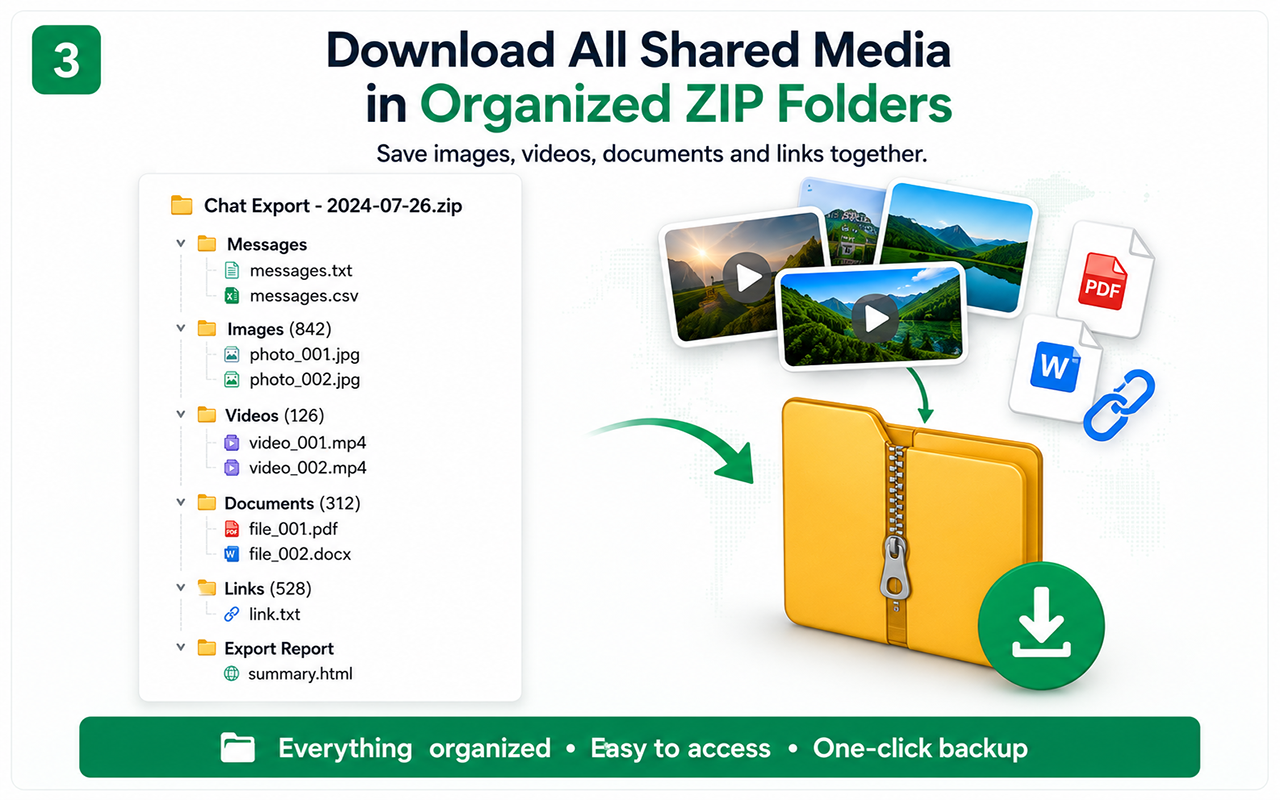
A conversation often depends on attachments and links. The organized ZIP workflow keeps these related materials in one archive.
Typical archive structure
- Messages text file
- Messages CSV
- Images folder
- Videos folder
- Documents folder
- Links file
- Export summary
Part-by-part reliability
Long exports can be divided into smaller parts to reduce memory pressure. The report helps the user understand what was processed or skipped.
Backup versus synchronization
The extension creates downloaded records. It is not a live cloud synchronization service and does not continuously mirror every account change.
Free vs Pro
Test the essential workflow
- Limited supported chat export
- PDF output with watermark
- Suitable for a short trial
Complete backup toolkit
- Unlimited supported exports
- CSV and organized ZIP backup
- Images, videos, files and links
- Auto Scan, large-chat workflow and no watermark
Official references
These official resources provide background on account exports, browser extensions, privacy or platform controls. Chat Exporter Pro is an independent product and is not affiliated with Meta, WhatsApp, OpenAI or Google.
Start with the supported workflow
Install Chat Exporter Pro, open the conversation you are authorized to access, and choose the export format that matches your goal. Results depend on the content loaded and available in the browser.