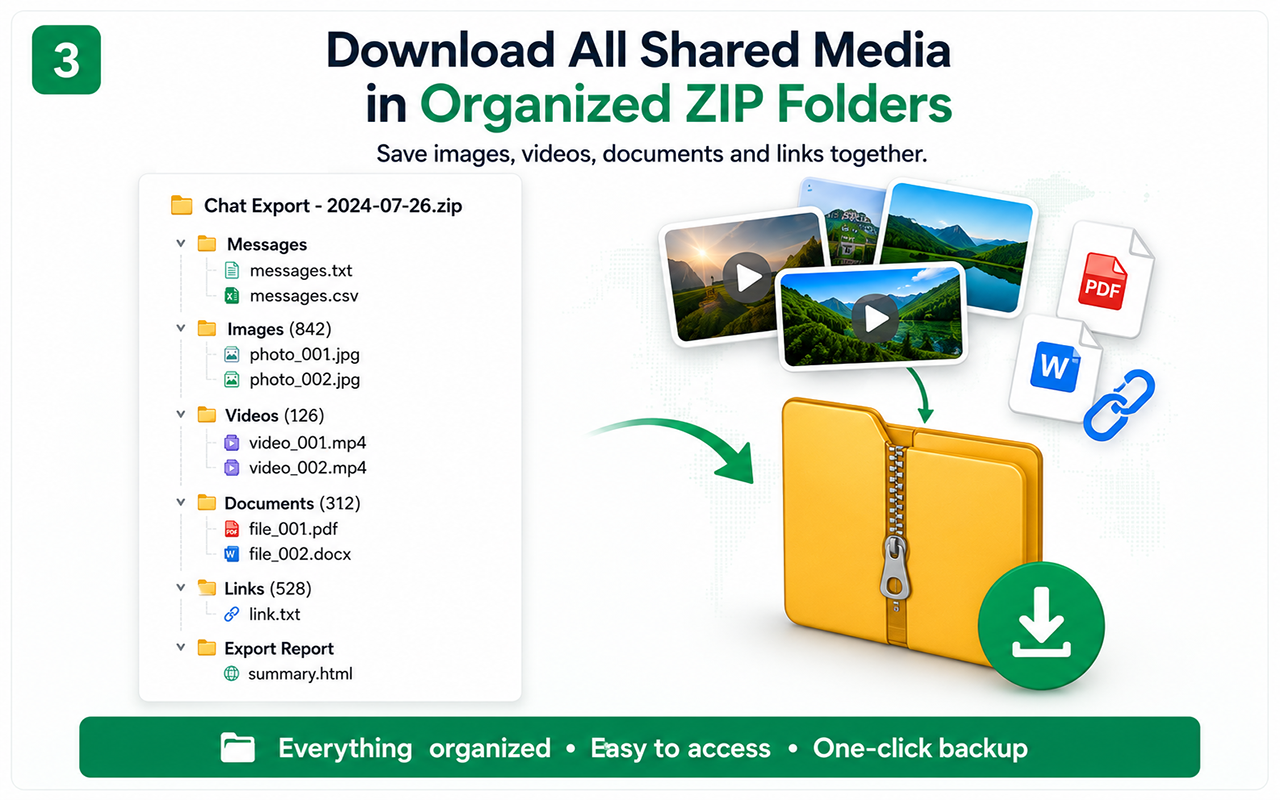
A ZIP is valuable only if you can make sense of it later. The goal is not to throw thousands of downloads into one folder; it is to keep accessible images, videos, documents and links organized beside a conversation record so each resource still has context.
Why a random Downloads folder is not an archive
Manual saving creates duplicate names, mixed conversations and files with no obvious relationship to the message that shared them. After a few hundred items, “image(43).jpg” has almost no archival meaning.
An organized export should reduce that ambiguity with predictable grouping and a companion message record.
- Separate chat archive from unrelated downloads.
- Keep export date/topic in the parent folder name.
- Preserve the readable message sequence.
What belongs in a useful chat backup set
Depending on the supported platform and resource availability, a backup can include a PDF or CSV plus accessible images, video, documents and links.
The important design principle is not the exact folder name; it is keeping related outputs together so future search and review are possible.
- Readable PDF.
- Structured CSV when needed.
- Media/documents in ZIP.
- Link records and notes for unavailable items.
How one-click collection changes the workload
On a conversation containing years of media, the manual workflow means open item, download, rename, return, repeat. Batch collection lets the extension process detected accessible resources after the history is loaded.
The user can start the job and let it run rather than spending hours clicking every attachment individually.
- Load required history first.
- Start the archive workflow.
- Let batch collection complete.
- Spot-check resulting files.
How to verify a ZIP before storing it
Extract or inspect the archive, open files from different periods and confirm the message record contains the corresponding conversation context.
If the archive is important, store a second copy after verification rather than duplicating an unchecked ZIP.
- Open an old and a recent image.
- Open a document/video when present.
- Check the readable message record.
- Document known unavailable resources.
Chat Exporter Pro turns attachment saving into a batch archive job
The product’s practical capability is not merely compression. It is the automated collection workflow around supported chats: process the accessible conversation, capture the message record and organize detected resources so the user does not save each old item by hand.
This becomes especially meaningful on decade-long Messenger histories where hundreds or thousands of media items may be scattered through the thread.
Test the essential workflow
- Limited supported chat export
- PDF output with watermark
- Suitable for a short trial
Complete backup toolkit
- Unlimited supported exports
- CSV and organized ZIP backup
- Images, videos, files and links
- Auto Scan, large-chat workflow and no watermark
Official references
Questions people ask before exporting
Is ZIP better than PDF?
They solve different problems. PDF is easier to read; ZIP is better for keeping original accessible files. Important archives often use both.
Does organized ZIP mean every file is guaranteed?
No. It can include resources that the platform exposes and the exporter can detect/download. Removed or inaccessible source files can still be missing.
Should I keep the ZIP compressed forever?
You can keep the ZIP as a transport/archive copy, but periodically verify that it can be opened and that important files are intact.