More than a text export
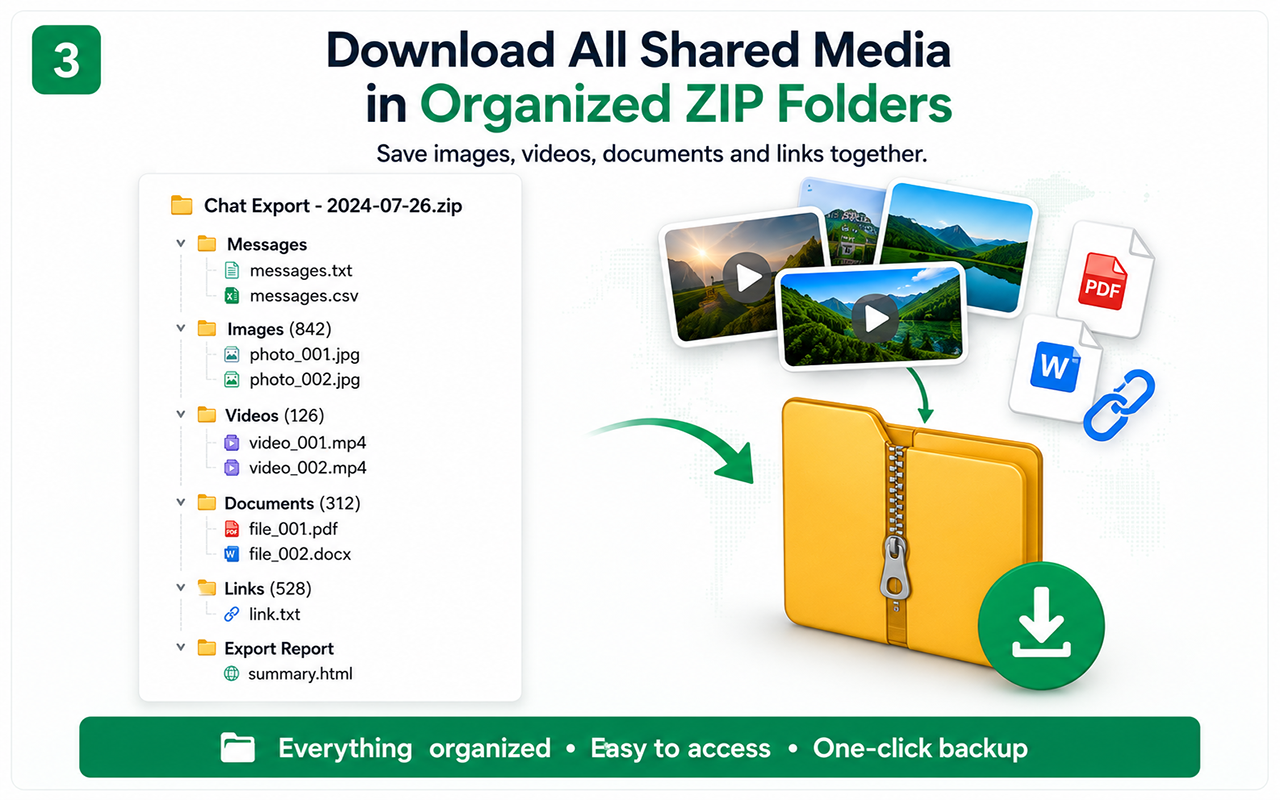
Important conversations often contain contracts, product images, receipts, voice or video files, links and reference documents. A text-only copy can lose the context that made the conversation useful.
Organized folder structure
The Pro backup workflow separates detected resources into folders for images, videos, documents and links and includes message records and an export report.
Why some files can be skipped
Media may expire, require authentication or be hosted behind a URL the browser cannot retrieve. Large files can also be skipped to reduce browser overload; the report helps identify what was not included.
Protect the downloaded archive
ZIP backups may contain personal or confidential information. Store them securely, limit sharing and follow applicable privacy and record-retention rules.
Free vs Pro
Test the essential workflow
- Limited supported chat export
- PDF output with watermark
- Suitable for a short trial
Complete backup toolkit
- Unlimited supported exports
- CSV and organized ZIP backup
- Images, videos, files and links
- Auto Scan, large-chat workflow and no watermark
Official references
These official resources provide background on account exports, browser extensions, privacy or platform controls. Chat Exporter Pro is an independent product and is not affiliated with Meta, WhatsApp, OpenAI or Google.
Start with the supported workflow
Install Chat Exporter Pro, open the conversation you are authorized to access, and choose the export format that matches your goal. Results depend on the content loaded and available in the browser.