This guide is deliberately about quality control rather than “click export.” A readable Messenger PDF can be used for client histories, personal archives or reference only when the right chat range is loaded and the finished document has been checked against the source.
Define the record before you create it
Decide whether the PDF represents the full relationship, a project period or a specific incident. This determines how far back the chat needs to be loaded and makes later interpretation much easier.
- Write down the intended start/end period.
- Confirm the participant/chat name.
- Decide whether attachments need a separate ZIP.
Generate the PDF from a stable conversation
Open the thread, load the necessary history and start the PDF export without changing chats mid-process. Long conversations may need scanning before document generation.
When the export finishes, open the file immediately rather than moving it into long-term storage unseen.
- Check the first required message.
- Check a distinctive middle exchange.
- Check the last response and latest date.
Review names, dates, layout and images
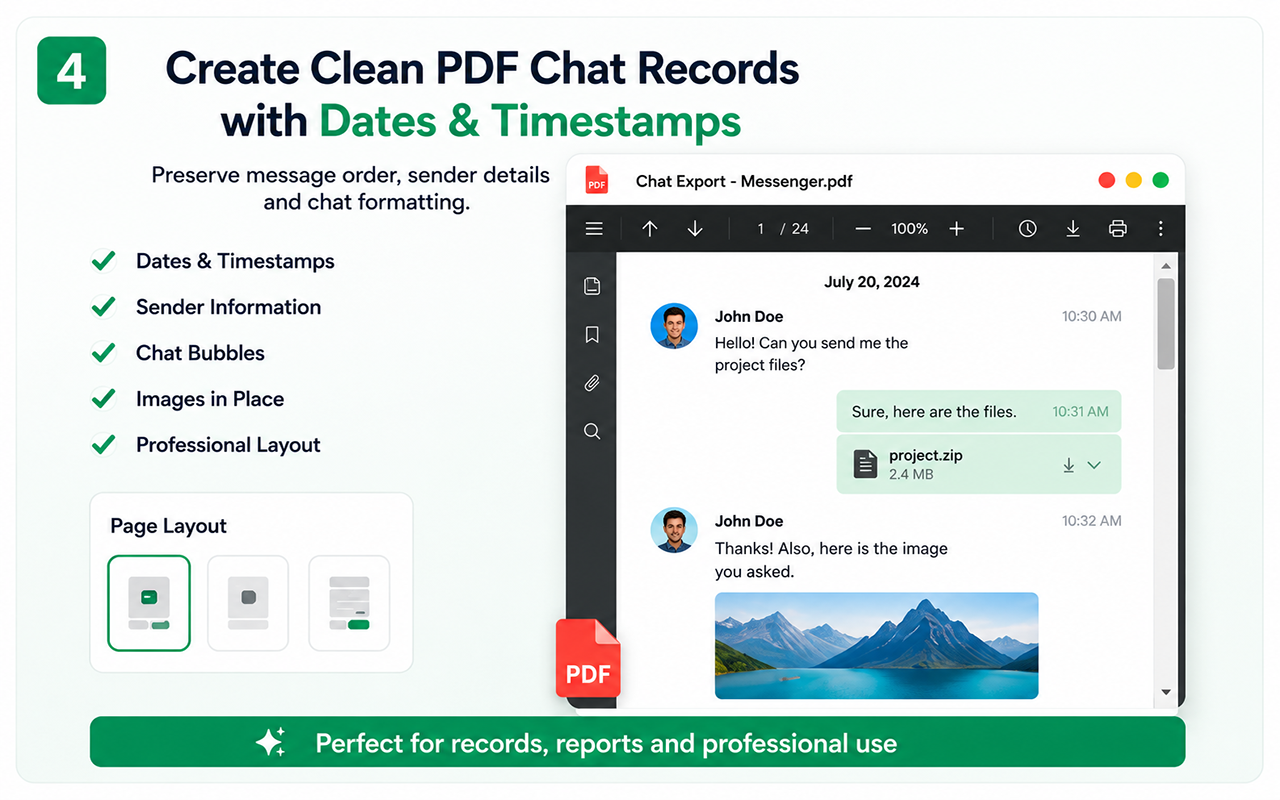
A PDF is designed for humans, so readability matters. Look for participant attribution, chronological order, visible date transitions and image placement near the relevant messages.
If original video or documents matter, preserve those as files in an archive rather than expecting the PDF to embed every resource as an original.
- Names/participants are understandable.
- Dates are plausible and ordered.
- No obvious message reversal or duplication.
- Images remain in conversational context.
Create a sharing copy when privacy requires it
A client or colleague may need only part of a conversation. Keep the original export unchanged and make a derivative copy for redaction or selective sharing.
This preserves a master archive while reducing unnecessary disclosure.
- Protect private phone numbers, addresses and payment details.
- Do not overwrite the original during redaction.
Chat-specific export adds structure that screenshots do not
Chat Exporter Pro is useful when you want a continuous document rather than dozens or hundreds of screenshots. It can also be paired with CSV or ZIP when the same conversation needs structured data or attachment preservation.
The extension automates collection, but the verification step is still human: confirm that the resulting record matches the range and content you intended.
Test the essential workflow
- Limited supported chat export
- PDF output with watermark
- Suitable for a short trial
Complete backup toolkit
- Unlimited supported exports
- CSV and organized ZIP backup
- Images, videos, files and links
- Auto Scan, large-chat workflow and no watermark
Official references
Questions people ask before exporting
Is PDF best for every backup?
No. It is best for reading. Use CSV for data processing and ZIP for accessible original attachments.
Can I export a very old thread?
If Messenger can still load the history, use the scan workflow before generating the PDF. Deleted or inaccessible material cannot be recreated.
Should I use screenshots for evidence?
Screenshots can be useful for a small visual excerpt, while a PDF can preserve a much longer readable record. Legal or forensic requirements may demand additional procedures beyond either format.